
Managing Notification Settings
On DispatchOne, you can send notifications to your end users based on the order journey. These notifications give your end users clear visibility of their orders and keep them informed. DispatchOne gives you the ability to decide for which order events you want to send and for which you don't want to send.
DispatchOne offers two modes through which notifications can be sent:
- Email (Available for India & USA)
- SMS (Available for India)
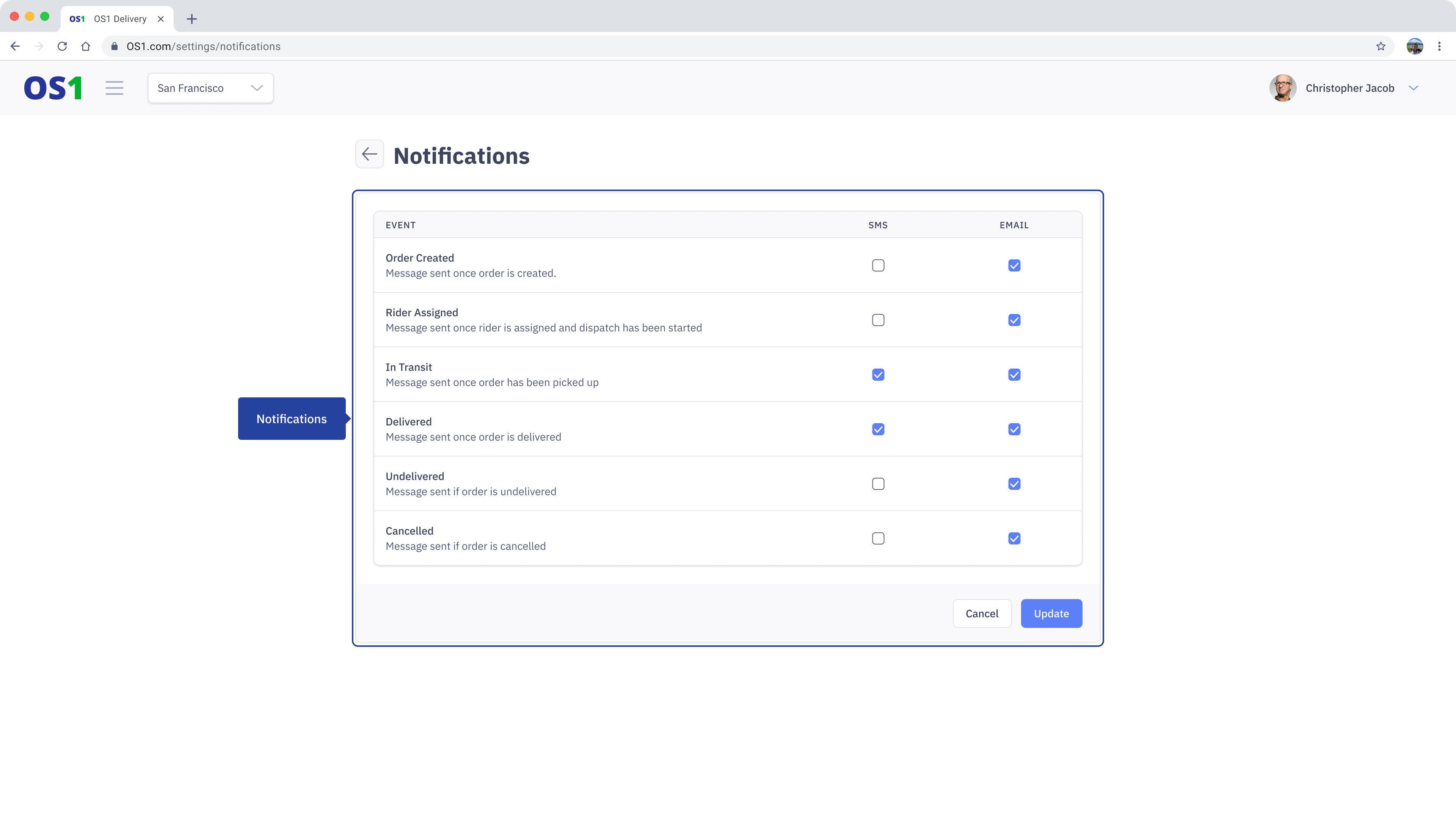
The events on which consignee notifications can be sent are as follows:
- Order Created: When the order is successfully created on DispatchOne
- Rider Assigned: When the dispatch to which the order was assigned is started
- In Transit: When the order is picked up or the Rider has started
- Order Delivered: When the order is successfully delivered to the consignee
- Order Undelivered: When the order could not be delivered
- Order Canceled: When the order was cancelled
As part of the notification, DispatchOne also sends out the link to the Consignee Tracking so your end user will have a very clear idea of where the Rider is at any given time.
Changing the Notification Settings
To change the Notification Settings, click on the "Settings" link in the side navigation menu. Under the Settings Page navigate to “Notification”. On the Notification page
- Click on the 'Edit' button
- Once you click on the edit button you can select the events against the modes available
- Once you have made the changes click on the "Update" button to apply the changes